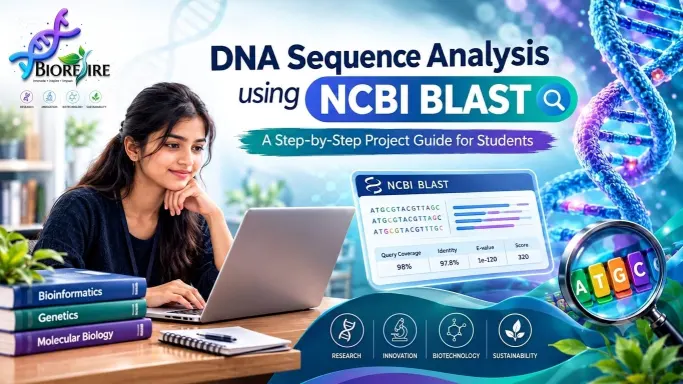
DNA Sequence Analysis Using NCBI BLAST: A Step-by-Step Project for Students
Introduction
DNA contains the genetic information required for the growth, development, and functioning of living organisms. Studying DNA sequences helps scientists understand genes, identify organisms, investigate genetic variations, and explore relationships between different species. Bioinformatics combines biology, computer science, and data analysis to study biological information efficiently.
DNA sequence analysis using NCBI BLAST is a beginner-friendly bioinformatics project that helps life science students understand how biological sequences are compared with sequences available in public databases. Instead of performing complex laboratory experiments, students can begin with a DNA sequence and use an online tool to identify similar sequences and explore their possible biological significance.
The National Center for Biotechnology Information (NCBI) provides several free resources for biological research. One of its widely used tools is BLAST, which stands for Basic Local Alignment Search Tool. It compares a submitted biological sequence with sequences stored in a selected database and identifies regions of similarity.
This project is suitable for biotechnology, microbiology, genetics, molecular biology, and bioinformatics students. It introduces an important research workflow that students can practice using a computer and an internet connection.
What Is DNA Sequence Analysis?
DNA sequence analysis is the process of examining the order of nucleotides in a DNA molecule. DNA contains four major nucleotide bases: adenine (A), thymine (T), guanine (G), and cytosine (C).
For example, a short DNA sequence may look like this:
“ATGCGTACGTTAGC”
Researchers analyze DNA sequences to investigate genes, compare organisms, identify sequence similarities, and study genetic differences. However, a DNA sequence by itself may not immediately reveal its biological function.
Bioinformatics tools help researchers compare an unknown or newly obtained sequence with previously studied sequences. This comparison can provide clues about the sequence’s identity and possible function.
DNA sequence analysis is used in genomics, evolutionary biology, microbial identification, biodiversity studies, and genetic research. In this student project, NCBI BLAST is used to demonstrate how sequence similarity can support biological investigation.
What Is NCBI BLAST?
NCBI BLAST is an online bioinformatics tool developed to find regions of similarity between biological sequences. It compares a query sequence supplied by the user against sequences in a selected database.
The results may help researchers identify sequences related to known genes or organisms. BLAST is widely used in biological research because it provides a practical way to explore large sequence databases without requiring advanced programming skills.
The main BLAST programs include:
– BLASTn: Compares a nucleotide query against nucleotide sequences.
– BLASTp: Compares a protein sequence against protein sequences.
– BLASTx: Translates a nucleotide query into possible protein sequences and compares them against a protein database.
– tBLASTn: Compares a protein query against translated nucleotide database sequences.
– tBLASTx: Compares translated nucleotide sequences against translated nucleotide database sequences.
For this project, BLASTn is the most appropriate starting point because the input is a DNA sequence and the goal is to find similar nucleotide sequences.
Students can access the official NCBI BLAST website at https://blast.ncbi.nlm.nih.gov/Blast.cgi.
Aim of the Project
The aim of this project is to analyze a DNA sequence using NCBI BLAST, identify similar sequences in a selected database, and interpret the results using basic bioinformatics concepts.
Objectives
The main objectives of this project are:
1. To understand the basic structure and importance of DNA sequences.
2. To learn how to access and use the NCBI BLAST tool.
3. To compare a query DNA sequence with sequences available in a database.
4. To understand percentage identity, query coverage, E-value, and alignment score.
5. To identify possible sequence matches and explore their biological annotations.
6. To develop basic skills in bioinformatics data analysis and scientific reporting.
Tools and Resources Required
One advantage of this project is that students can begin without purchasing laboratory chemicals or specialized equipment.
1. Computer or laptop: A computer with internet access is recommended for entering sequences and reviewing BLAST results.
2. NCBI BLAST: This is the primary tool used to compare DNA sequences.
3. NCBI Nucleotide Database: This database contains nucleotide sequence records from a wide range of organisms and biological studies.
4. DNA sequence in FASTA format: The query sequence can be obtained from a public database or supplied as part of a supervised academic exercise.
5. Spreadsheet or document software: Students can record the top matches, percentage identity, query coverage, E-value, and accession numbers.
6. NCBI sequence records: These records provide additional information about matched sequences, including organism names and available gene annotations.
All these resources can be accessed online. Some advanced analyses may require additional software, but they are not necessary for the basic version of this project.
Step-by-Step Procedure for DNA Sequence Analysis Using NCBI BLAST
Step 1: Select a DNA Sequence
Begin by selecting a nucleotide sequence for analysis. Beginners can use a known gene sequence from a public database so that they can compare the BLAST results with the available annotation.
For example, a student may select a publicly available gene sequence from a plant, bacterium, or animal. The sequence should be appropriate for nucleotide analysis and long enough to produce meaningful comparisons.
Students should record the sequence’s source, accession number if available, organism name, and any known gene description. Using a documented sequence makes the project easier to reproduce and explain.
Step 2: Prepare the Sequence in FASTA Format
FASTA is a commonly used text format for storing biological sequences. It begins with a description line marked by the greater-than symbol, followed by the nucleotide sequence.
A simplified illustrative example is:
“>Example_DNA_sequence”
“ATGCGTACGTTAGCTAGCTAGGCTAACG”
This example is only for explaining the format. It is not a verified gene sequence and should not be treated as a real biological result.
Check that the sequence contains valid nucleotide characters and that the description line is formatted correctly. Remove unrelated text or numbering if it interferes with sequence submission.
Step 3: Open the NCBI BLAST Website
Visit the official NCBI BLAST page. Select the nucleotide BLAST option, commonly called BLASTn.
The nucleotide BLAST interface allows users to submit DNA or RNA nucleotide sequences for comparison with nucleotide databases. Review the available options before submitting the query.
Step 4: Enter the Query Sequence
Paste the FASTA sequence into the query sequence box. Alternatively, upload an appropriate sequence file if that option is available.
For a beginner project, use a known sequence and record its source. If you are analyzing an unknown sample, make sure the sequence was obtained through an appropriate laboratory or approved dataset.
Step 5: Select the Database
Choose a suitable nucleotide database based on the research question and the options currently available in the BLAST interface.
For a general similarity search, a broad nucleotide collection may be useful. For a specific organism or research area, a more targeted database can reduce irrelevant matches.
The selected database affects which sequences are available for comparison. Therefore, students should record the database used in their project report.
Step 6: Choose the Appropriate Search Settings
BLAST provides search parameters that influence how sequence similarity is detected. Beginners can generally start with the default settings and change them only when there is a clear reason.
Relevant settings may include the search task, expected threshold, word size, and organism filters. Short sequences may require different settings from longer sequences, and overly restrictive filters can hide relevant matches.
Record any changes made to the default settings so that another student can reproduce the analysis.
Step 7: Run the BLAST Search
Submit the query and wait for the analysis to finish. Processing time depends on factors such as sequence length, database size, and server workload.
When the search is complete, BLAST displays a list of matching sequence records and alignment information. The results page may also include a graphical overview of matching regions and links to detailed sequence records.
Save the results or take screenshots for the project report, following your institution’s rules for academic documentation.
Step 8: Examine the Top Matches
Review the sequences listed in the results. Important details include the description of each match, organism name, accession number, query coverage, percentage identity, E-value, and alignment score.
Do not select a match based only on its position at the top of the list. Consider the quality of the alignment, the length of the matching region, the sequence annotation, and whether the result fits your research question.
Step 9: Record and Compare the Results
Prepare a results table using the information displayed by BLAST.
Parameter| What it tells you
Sequence description| The database record’s reported identity or annotation
Accession number| A unique identifier for the database record
Query coverage| The proportion of the query included in the reported alignment
Percentage identity| The proportion of identical aligned positions
E-value| The expected number of chance matches of similar quality in the search context
Alignment score| A score reflecting the quality of the alignment
Use actual values from your own BLAST run. Do not create numerical results before performing the analysis.
Step 10: Interpret the Findings
Determine whether the results suggest similarity to a known gene, a related organism, or another annotated nucleotide sequence. Open the most relevant sequence records to examine their descriptions and supporting information.
If the top matches are consistent with one another and cover most of the query, the result may provide useful evidence about sequence identity. However, closely related organisms may share highly similar DNA sequences, so the result may not be sufficient to identify a species conclusively.
Finally, write a short conclusion that explains what the analysis suggests, what remains uncertain, and what additional evidence would be needed.
Understanding Important BLAST Parameters
Interpreting BLAST output correctly is one of the most valuable skills students gain from this project.
Percentage identity: This indicates how many aligned nucleotide positions are identical. A high percentage identity suggests strong similarity within the aligned region, but it does not automatically establish identical biological function.
Query coverage: This indicates how much of the submitted sequence is represented in the reported alignment. A match with high identity but low query coverage may explain only a small portion of the query.
E-value: The E-value estimates how many matches of a similar score might be expected by chance in the search context. Lower values generally provide stronger evidence that a match is not simply a random similarity.
Alignment score: This measures alignment quality according to the scoring system used. Scores are most useful when interpreted alongside other parameters and when comparisons are made under appropriate conditions.
Accession number: This identifier helps students locate the exact database record used for interpretation and reporting.
No single parameter should be interpreted in isolation. The strongest conclusions come from evaluating multiple pieces of evidence together.
Example of Expected Results
Suppose a student submits a known DNA sequence and receives several matches. The first result has high query coverage and high percentage identity, while another result has a similar identity but covers only a small part of the query.
The first match may provide stronger support for the identity of the complete sequence because it aligns across more of the submitted DNA. However, the student must still inspect the accession record, organism information, sequence quality, and annotations before drawing a conclusion.
This is an illustrative example, not a report of an actual BLAST experiment. The real findings will depend on the query sequence, database, and search parameters.
Applications of DNA Sequence Analysis
DNA sequence analysis has several important applications in life sciences.
Gene identification: Researchers can compare unknown sequences with annotated database records to investigate which genes may be present.
Microbial research: Sequence comparisons can support studies of bacterial and other microbial diversity. Reliable organism identification may require additional markers, reference methods, or laboratory evidence.
Evolutionary studies: Similarities and differences between homologous DNA sequences can help researchers investigate evolutionary relationships.
Genomics research: Sequence comparison is useful for exploring genes, genetic variation, and relationships between genomic regions.
Agricultural biotechnology: Researchers can study plant genes associated with traits such as disease resistance, stress tolerance, and growth.
Medical and pharmaceutical research: Sequence analysis supports research into genetic variants, biological pathways, and potential disease-associated genes. Clinical conclusions require validated methods and appropriate professional interpretation.
These applications demonstrate how a basic bioinformatics project can introduce students to methods used in modern biological research.
Advantages of This Student Project
This project is useful for beginners because it combines biological concepts with a practical computational workflow.
– It can be started with free online resources.
– It does not require advanced programming knowledge for the basic workflow.
– It introduces students to public biological databases.
– It develops skills in data interpretation and scientific documentation.
– It can be expanded into more advanced genomics or comparative sequence analysis.
– It provides a practical example to discuss during academic presentations and internship interviews.
Students should remember that completing one BLAST search is an introduction to bioinformatics, not proof of mastery. Repeated practice with different sequences and careful interpretation will improve their understanding.
Limitations and Precautions
Although NCBI BLAST is a powerful tool, it has limitations. A sequence match does not automatically prove that two sequences have identical functions. Database annotations may also be incomplete, outdated, or uncertain.
Short sequences can produce ambiguous matches, and closely related species may share highly similar DNA regions. A search may also miss a relevant sequence if the reference is absent from the selected database or if the search settings are unsuitable.
Students should use verified reference sequences where possible, document their data sources, avoid inventing results, and distinguish between observations and interpretations. Any organism identification or biological conclusion should be supported by appropriate evidence.
How to Present This Project on Your Resume
Students can describe the project in a resume or portfolio after completing the analysis and verifying their results.
Project title: DNA Sequence Analysis Using NCBI BLAST
Tools used: NCBI BLASTn, NCBI Nucleotide Database, FASTA format, and spreadsheet software.
Project description: Compared a selected DNA sequence with public nucleotide database records, evaluated sequence similarity using percentage identity, query coverage, and E-value, and documented relevant sequence annotations.
Skills demonstrated: Basic bioinformatics, sequence alignment, biological database navigation, scientific data interpretation, and technical reporting.
Students should customize this description to match the work they actually performed. They should not claim experimental experience, programming skills, or findings they have not demonstrated.
Conclusion
DNA sequence analysis using NCBI BLAST is a practical starting point for students who want to understand bioinformatics through a real biological data workflow. It teaches students how to prepare a DNA sequence, select an appropriate database, run a similarity search, interpret alignment statistics, and investigate sequence records.
The project also shows why biological conclusions require more than simply identifying the top database match. Query coverage, percentage identity, E-value, annotations, and the quality of the reference sequence all contribute to a reliable interpretation.
For biotechnology, microbiology, molecular biology, and bioinformatics students, this project offers an accessible way to develop research skills and build confidence with biological databases. After completing the basic workflow, students can progress to comparative genomics, gene annotation, phylogenetic analysis, and other advanced bioinformatics projects.
The most important learning outcome is not just obtaining a BLAST result. It is learning how to analyze evidence, document methods, recognize limitations, and explain scientific findings accurately.
Frequently Asked Questions
1. Is DNA sequence analysis using NCBI BLAST suitable for beginners?
Yes. Students can begin with a known DNA sequence, use the online BLASTn tool, and learn basic sequence alignment and result interpretation without needing advanced programming skills.
2. Is NCBI BLAST free to use?
NCBI BLAST is available as a free online resource. Students should check the relevant database and service guidance before using results in formal research.
3. Do I need Python for this project?
No. Python is not required for the basic workflow. It can be introduced later to automate sequence processing, organize results, or analyze larger datasets.
4. What is the difference between BLASTn and BLASTp?
BLASTn compares nucleotide sequences against nucleotide sequences, whereas BLASTp compares protein sequences against protein sequences.
5. Can this project be included in a student portfolio?
Yes, provided the student completes the analysis, records the actual results, identifies the tools used, and explains the project’s limitations honestly.
6. What can I learn after completing this project?
Students can move on to sequence alignment, phylogenetic trees, gene annotation, comparative genomics, RNA sequencing analysis, and other bioinformatics workflows.
References and Learning Resources
– NCBI BLAST: https://blast.ncbi.nlm.nih.gov/Blast.cgi
– NCBI Nucleotide Database: https://www.ncbi.nlm.nih.gov/nuccore/
– NCBI Bookshelf: https://www.ncbi.nlm.nih.gov/books/
These official resources help students explore sequence records, understand BLAST features, and continue learning bioinformatics.