
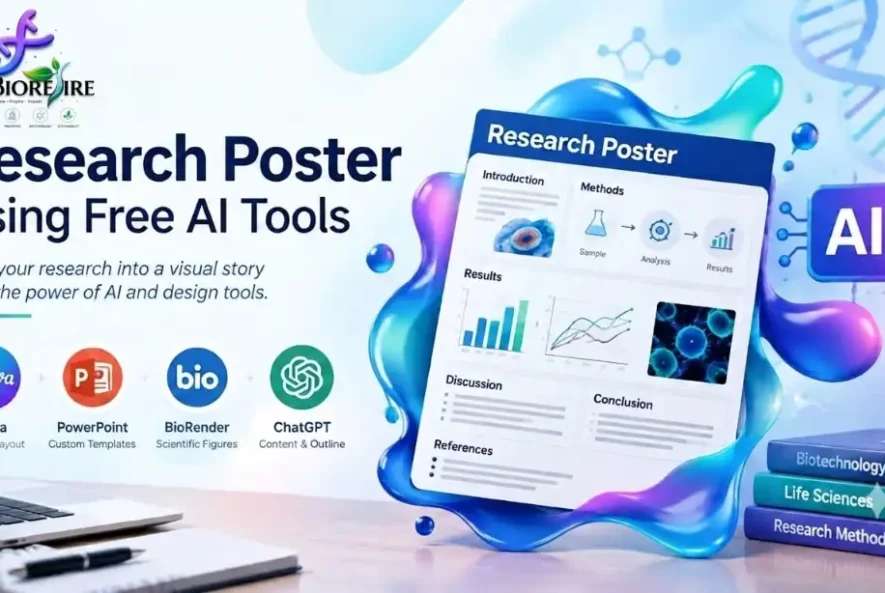
How to Create a Research Poster Using Free AI Tools
Creating a research poster using free AI tools can help students and research scholars present scientific findings clearly without advanced graphic design skills. A well-designed research poster summarizes a study using concise text, accurate data, scientific figures, and a logical layout. It allows readers to understand the research question, methodology, results, and conclusions quickly.
For biotechnology, microbiology, biochemistry, bioinformatics, and other life science students, research posters are useful for university projects, seminars, scientific conferences, and dissertation presentations. This guide explains how to select suitable tools, organize research content, design scientific figures, and prepare a professional poster for academic use.
What Is a Scientific Research Poster?
A scientific research poster is a visual presentation of a research study. It communicates the main findings through short sections, figures, graphs, and references rather than lengthy paragraphs.
A typical research poster contains:
– Title, author names, and institutional affiliation
– Introduction and research objectives
– Materials and methods
– Results and discussion
– Conclusion
– References and acknowledgements
The exact structure depends on the research topic and conference requirements. Some posters also include an abstract, limitations, or future research directions.
For example, a microbiology student studying the antibacterial activity of a plant extract might present the research objective, experimental procedure, inhibition-zone measurements, results graph, and conclusion. All numerical values and interpretations must come from the actual experiment.
Best Free AI and Design Tools for Research Posters
Choosing the right software is the first step toward creating an effective scientific poster. Different tools support different tasks, and not every platform provides all features free of charge.
1. Canva for Research Poster Design
Canva is an online design platform that provides customizable poster templates and visual editing tools. Beginners can arrange text, images, shapes, and charts without learning professional graphic design software.
Useful features:
– Research poster templates
– Editable text boxes and layouts
– Color palettes and typography options
– Image placement and graphic elements
– Export options, depending on the plan
Best use: Designing the overall poster layout and organizing its sections.
Website: https://www.canva.com/posters/templates/research/
Some templates, images, and AI features require a paid plan. Check the available export options and licensing conditions before using a design for academic publication.
2. Microsoft PowerPoint for Custom Poster Layouts
PowerPoint is useful when you need precise control over poster dimensions, text placement, figures, and alignment. It is also familiar to many university students.
Useful features:
– Custom page or slide dimensions
– Editable text and shapes
– Tables and charts
– Image positioning and alignment
– PDF export where supported
Best use: Creating a poster that must follow specific conference dimensions or an institutional template.
Website: https://www.microsoft.com/microsoft-365/powerpoint
Access depends on your Microsoft account, subscription, and available institutional services.
3. BioRender for Scientific Illustrations
BioRender specializes in scientific illustrations used in biology and biomedical research. It can help explain cell structures, experimental procedures, molecular interactions, and biological pathways.
Useful features:
– Biological icons and illustrations
– Cellular and molecular diagrams
– Experimental workflow visuals
– Scientific figure composition
Best use: Adding explanatory biological diagrams to a research poster.
Website: https://www.biorender.com/
BioRender has a free Basic plan with limitations. Review the current licensing conditions before exporting or publishing figures.
4. AI Writing Assistants for Poster Content
AI writing assistants can help summarize a completed research report, simplify complicated sentences, organize sections, and improve grammar.
For example, you can provide your own research text and request a concise introduction, methodology summary, or conclusion. You should always verify the result against your original report.
Use this prompt:
“Organize my research report into a scientific poster outline with an introduction, objective, methodology, results, discussion, conclusion, and references. Use concise academic language. Do not invent data, experimental findings, citations, or methods. Identify any missing information that needs my input.”
AI-generated text should be treated as a draft, not as verified scientific evidence.
How to Create a Research Poster Using Free AI Tools: Step by Step
Step 1: Check the Conference Guidelines
Before opening a design tool, read the conference or university instructions.
Confirm the following:
– Required poster width and height
– Portrait or landscape orientation
– File format and submission deadline
– Required author and affiliation details
– Institutional logo requirements
– Citation and acknowledgement rules
Do not select poster dimensions based only on a template. Use the exact dimensions required by the event.
Step 2: Prepare Your Research Content
Collect the final research title, objective, methodology, results, conclusion, figures, and references.
For a completed study, use the actual findings. If your project is still in progress, clearly identify preliminary results and planned work.
Avoid copying an entire dissertation into the poster. A poster should communicate the most important information without overwhelming readers.
Step 3: Write a Clear Research Title
The title should explain the main topic of the study without unnecessary words.
For example:
Long title: An Investigation into the Effects of Different Environmental Conditions on the Growth Characteristics of Selected Bacterial Isolates.
More concise title: Effect of Environmental Conditions on Bacterial Growth.
The shorter version is suitable only if it accurately represents the study. Include the organism or experimental condition when it is important to understanding the research.
Step 4: Summarize Each Section
Use concise paragraphs or bullet points where appropriate.
Introduction: Explain the scientific background and the problem being investigated.
Objective: State the main research question.
Methodology: Describe the experimental design, materials, methods, and relevant analytical procedures.
Results: Present the actual observations using clear figures, tables, or graphs.
Discussion: Explain the meaning of the results and relate them to the research question.
Conclusion: Summarize the main finding and acknowledge important limitations.
AI can help shorten sentences, but it must not change the meaning of your findings or introduce unsupported conclusions.
Step 5: Select a Readable Poster Layout
A three-column layout is a useful starting point for many scientific posters.
One possible arrangement is:
– Column 1: Introduction, research objective, and methodology.
– Column 2: Main results, graphs, and scientific figures.
– Column 3: Discussion, conclusion, and references.
For a computational biology project, the workflow and results may need more space than the introduction. Adjust the layout to match the research rather than forcing every project into the same template.
Use consistent section headings, aligned text boxes, and sufficient white space.
Step 6: Create Accurate Scientific Figures
Figures should help readers understand the research more quickly.
Depending on your project, you might include:
– Experimental workflow diagrams
– Microscopy images
– DNA or protein sequence comparisons
– Molecular structures
– Gene-expression heatmaps
– Statistical graphs
Use BioRender or a suitable design tool for explanatory diagrams. Use software such as Excel, R, or Python to generate quantitative graphs from actual data.
For every graph, check the axis labels, units, legend, sample size where relevant, and statistical annotations.
Never use an AI image generator to invent experimental images, numerical graphs, or scientific results and present them as real observations.
Step 7: Improve Visual Consistency
A professional research poster should be easy to scan.
Follow these practical design principles:
– Use a small, consistent set of fonts.
– Make the title and section headings visually distinct.
– Use sufficient contrast between text and background.
– Keep paragraphs short.
– Align figures and text boxes.
– Avoid unnecessary decorative graphics.
– Use colors consistently to distinguish related information.
Check the poster at its actual presentation size. Text that looks readable on a laptop may be too small when printed.
Step 8: Add References and Acknowledgements
Cite research papers, datasets, and external figures used in the poster. Follow the required citation style and include only references that support your content.
Acknowledge research supervisors, institutions, funding sources, and collaborators where appropriate.
Verify each reference using a reliable academic database or the original publication. AI tools may produce incorrect or nonexistent citations.
Step 9: Export the Poster Correctly
Once the layout is complete, export it in the format requested by the conference, commonly PDF.
Before submission, check:
– Page dimensions and orientation
– Text and figure alignment
– Image clarity and resolution
– Font and scientific-symbol rendering
– Missing or clipped content
– Correct author names and affiliations
– References and acknowledgements
For large-format printing, follow the printer’s specifications for resolution, margins, and file dimensions.
Common Research Poster Mistakes to Avoid
Too Much Text
Long paragraphs make the poster difficult to scan. Remove repeated information and focus on the research question, methods, major findings, and conclusion.
Incorrect Data Visualization
Missing units, misleading axes, unclear labels, or inappropriate graph types can misrepresent the results. Verify every figure against the original dataset.
Unverified AI-Generated Content
AI may introduce inaccurate scientific statements or fabricated references. Verify technical claims, citations, methods, and numerical values before publication.
Poor Readability
Low contrast, tiny fonts, inconsistent spacing, and excessive colors can distract readers. Review the poster from a reasonable viewing distance.
Ignoring Usage Rights
A free account does not automatically grant permission to publish every template, image, or scientific illustration. Review licensing terms for all external assets.
Missing Conference Requirements
An attractive poster can still fail submission requirements if the dimensions, file type, logos, or author information are incorrect. Check the official instructions before exporting.
Research Poster Checklist for Students and Research Scholars
Before submitting your poster, verify these points:
– The title accurately represents the study.
– The objective is clear.
– The methodology matches the actual research.
– Results and figures are supported by real data.
– Graphs have appropriate labels and units.
– References are accurate and relevant.
– Text is readable at the final poster size.
– The layout follows conference specifications.
– Images and illustrations are used with appropriate permission.
– The exported file has been reviewed.
Frequently Asked Questions
1. What is the best free tool for creating a research poster?
Canva is a practical option for template-based design, while PowerPoint and Google Slides provide flexible layouts. BioRender is useful for scientific illustrations, subject to its licensing terms and plan limitations.
2. Can AI create a complete scientific research poster?
AI can assist with summarizing text, suggesting layouts, and improving visual organization. Researchers must provide and verify the actual data, methods, results, and references.
3. Can biotechnology students create posters without graphic design experience?
Yes. Students can begin with a suitable template, organize the study into standard scientific sections, use clear graphs, and follow basic readability principles.
4. What should a research poster contain?
A typical poster includes a title, author details, introduction, objective, methodology, results, conclusion, and references. The exact sections depend on the conference guidelines.
5. How do I make a research poster suitable for printing?
Set the required page dimensions before designing, use clear images and readable fonts, and export in the requested format. Confirm the printer’s resolution and file requirements before printing.
6. Is it acceptable to use AI for a research poster?
AI can assist with writing and design, but its output must be checked. Follow the relevant conference, institutional, and publication policies, especially when using AI-generated figures or working with confidential data.
Conclusion
Creating a research poster using free AI tools becomes easier when content preparation, figure creation, and visual design are handled separately. Canva and PowerPoint can help with layout, BioRender can support scientific illustration, and AI writing assistants can help organize text.
The most important step is to preserve scientific accuracy. Use actual research findings, cite reliable sources, follow conference guidelines, and check the final exported file before submission.
For life science students and research scholars, developing research poster skills can improve scientific communication and help present project findings clearly at academic seminars, conferences, and research events.